Recipes That Fit Your Life
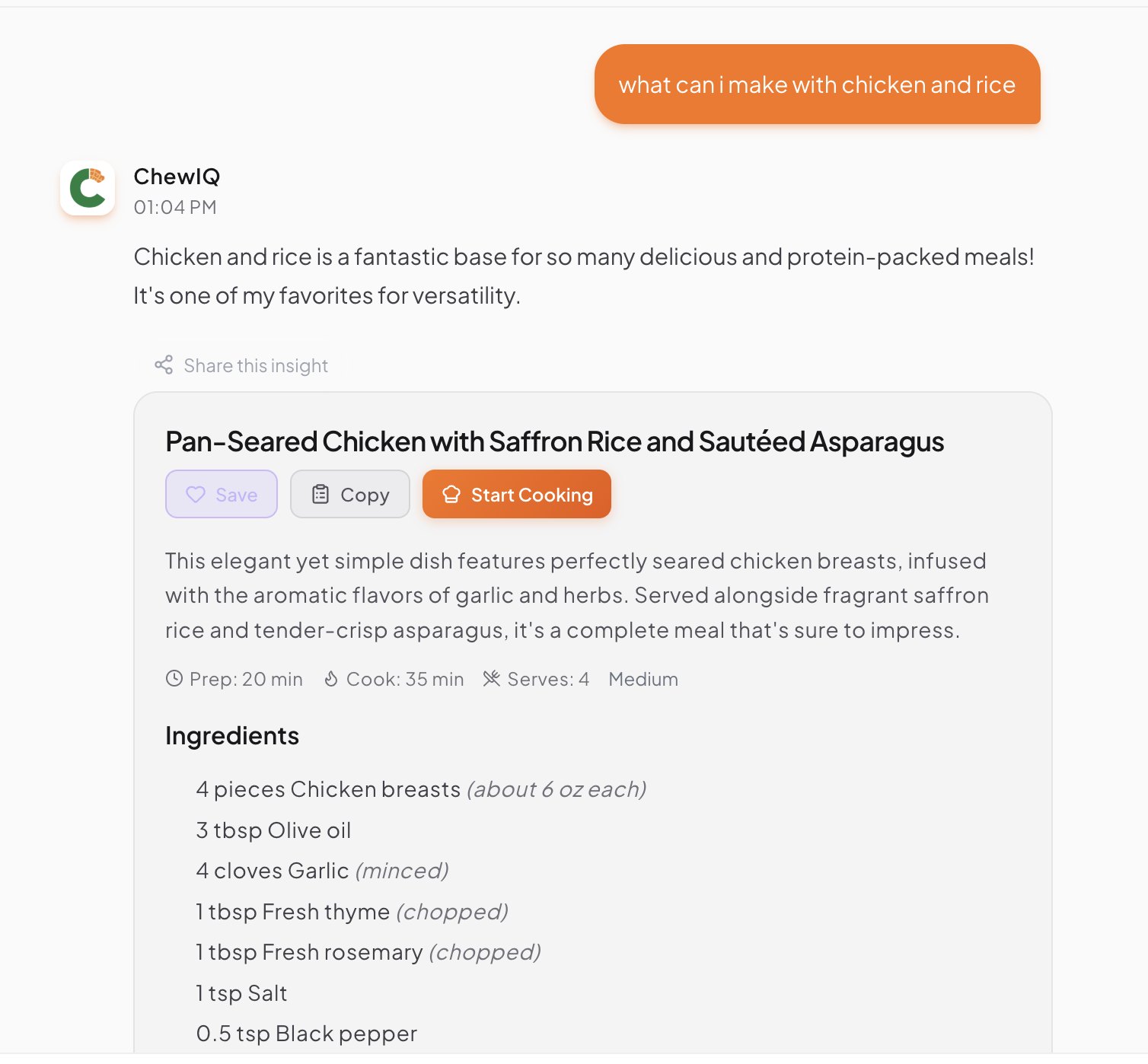
From idea to dinner in minutes
Ask for any recipe in plain English, snap a photo of ingredients you have, or import from any website. Want to swap ingredients or make it healthier? Just ask. ChewIQ learns your taste over time, so recipes get more personalized the more you use it.
From idea to dinner
One seamless flow from asking to eating
Snap what you have, get ideas
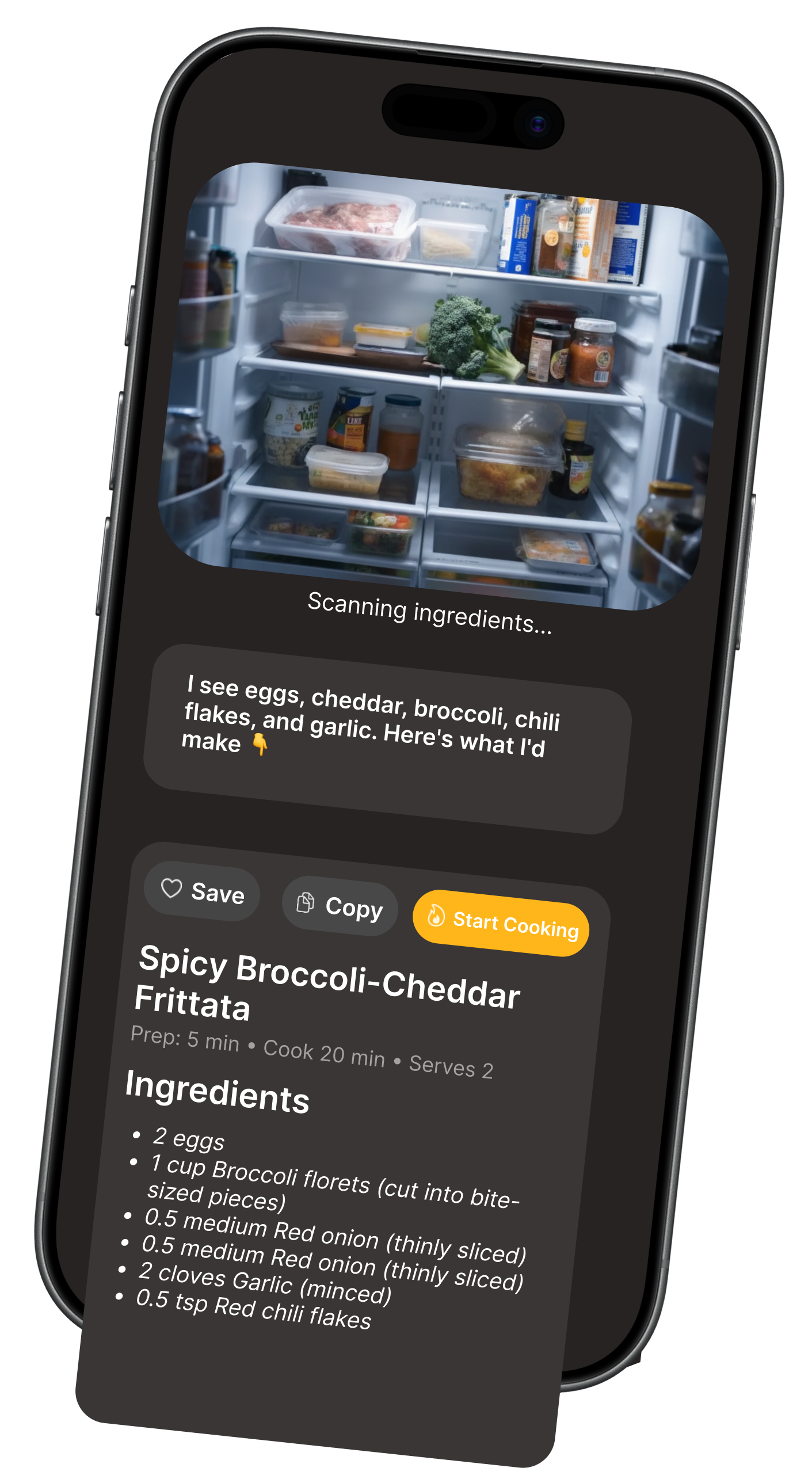
Don't know what to make? Just take a photo of your fridge or pantry. ChewIQ will identify what you have and suggest recipes you can make right now.
How it works:
- 1. Take a photo of your ingredients
- 2. ChewIQ identifies what you have
- 3. Get recipe ideas that use those ingredients
Stop scrolling through ads and blogs
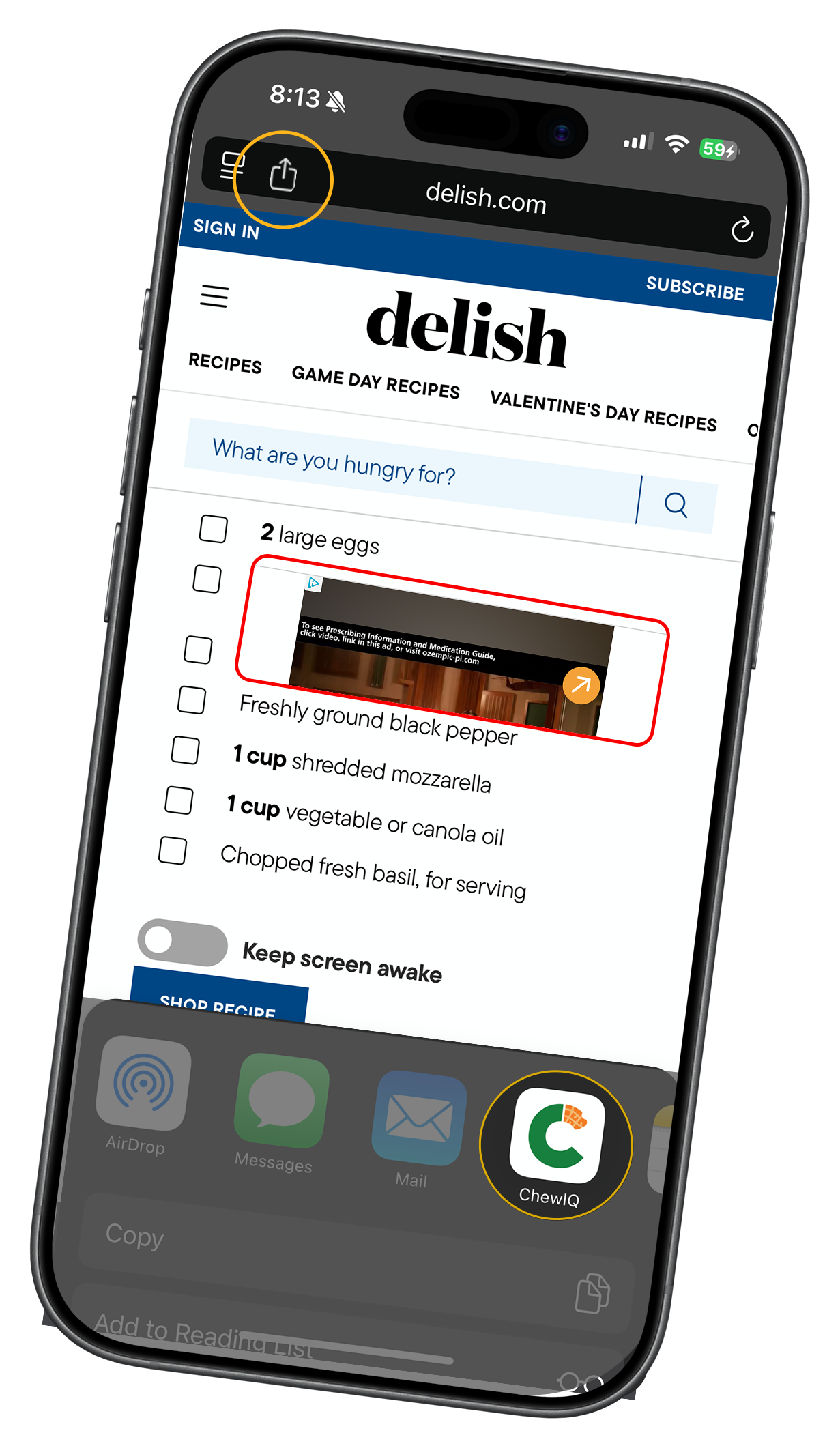
Found a recipe online? Import it with one tap. ChewIQ strips away the ads, life stories, and clutter—giving you just the clean recipe, ready to cook.
Tap Share on any recipe page
Works with any website or app
Select ChewIQ from share options
Recipe imports automatically
Edit with AI, cook hands-free
Auto grocery list included
Customize any recipe instantly
Just ask and ChewIQ adjusts
"Make it dairy-free"
→ Swaps butter for olive oil, removes cheese
"I'm cooking for 6"
→ Scales all ingredients automatically
"Make it healthier"
→ Reduces oil, suggests leaner proteins
Everything you need
Powerful features designed to make your life easier
Snap Photos of Ingredients
Take a photo of what's in your fridge or pantry. ChewIQ will suggest recipes based on what you have.
Chat to Customize
Want to swap ingredients? Make it healthier? Lower carb? Just ask naturally and ChewIQ adjusts the recipe.
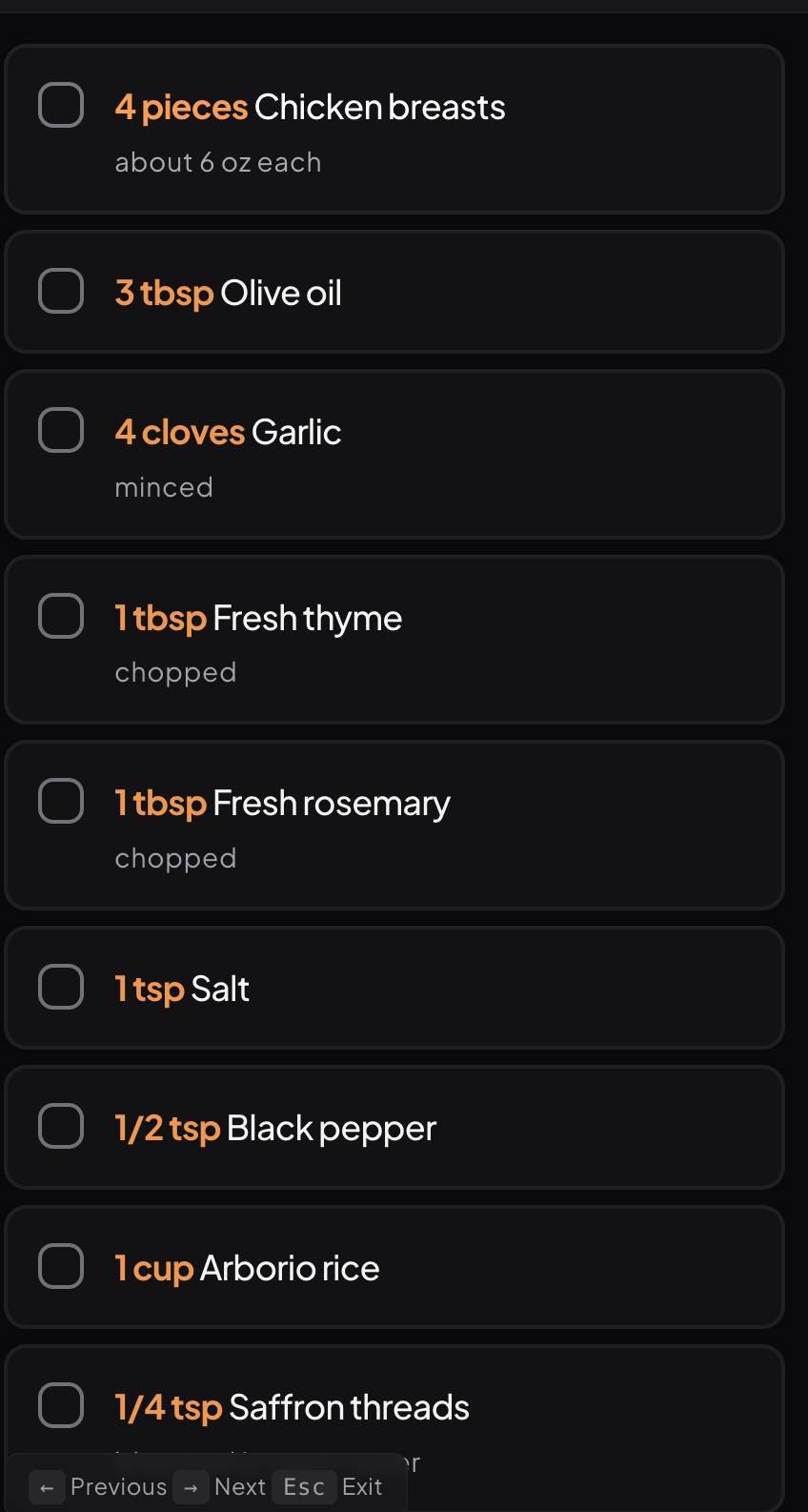
Auto Grocery Lists
One tap converts any recipe into a shopping list. Check off items as you shop.
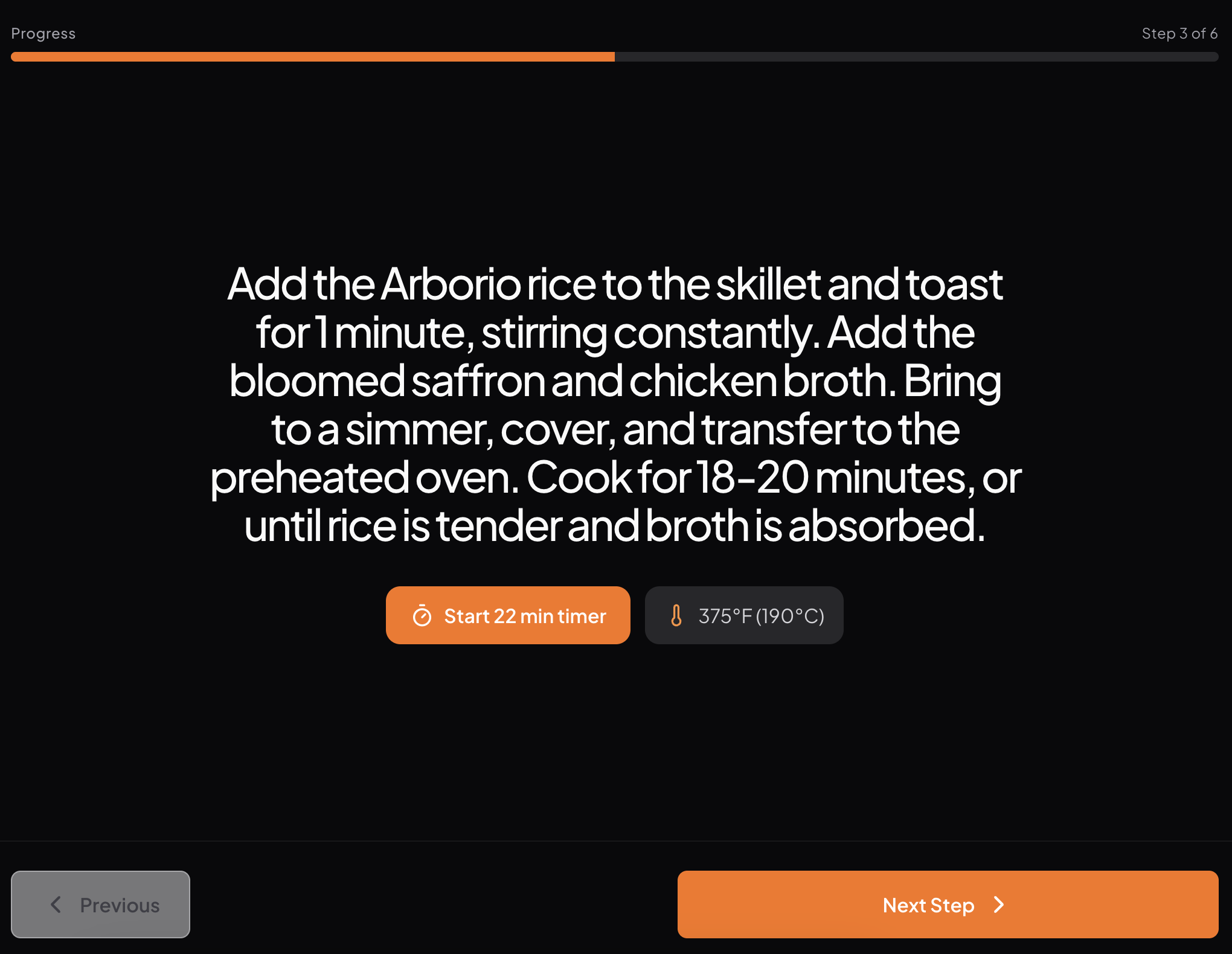
Hands-Free Cook Mode
Step-by-step guidance with built-in timers. Ask questions while you cook without touching your phone.
Learns Your Taste
The more you cook, the better ChewIQ knows you. Get personalized suggestions based on your preferences.
Save Favorites
Build your personal cookbook. Rate recipes and add notes for next time.
Just ask naturally
Here are some things you can say
"I have chicken, rice, and broccoli—what can I make?"
"Give me a high-protein breakfast under 400 calories"
"Make this recipe dairy-free"
"Swap the butter for something healthier"
"I'm cooking for 6 people instead of 4"